Crashzone

Archive for November, 2008

Smart car

Friday, November 28th, 2008


Smart car with Suzuki Hyabussa engine. A good one for the greenies, I would love to see one of these in Australia.

NRMA repair times

Thursday, November 27th, 2008

NRMA currently publishes 2 online smash repair time guides which should be used for the R&R and paint operations when quoting for NRMA. Click on the below images to access the times guides.

Smash repair data this is the current guide for NRMA  funny time, funny money
NRMA OTM

NTAR is the current guide for NRMA real time and rates
NRMA NTAR RTRM

Lismore Accident & Vehicle Repair Centre - Lismore repairer

Wednesday, November 26th, 2008

Lismore Accident & Vehicle Repair Centre

Lismore Accident & Vehicle Repair Centre

Lismore Accident & Vehicle  Repair Centre

Nick Van baarsen
1-18 Snow Street Lismore  NSW 2480
Ph: 02 66216711
Fax: 02 66216713
Email: vanbaarsennico@bigpond.com.au 

Lismore Accident & Vehicle  Repair Centre

Digital imaging for quoting accident repairs

Monday, November 24th, 2008

Digital Imaging

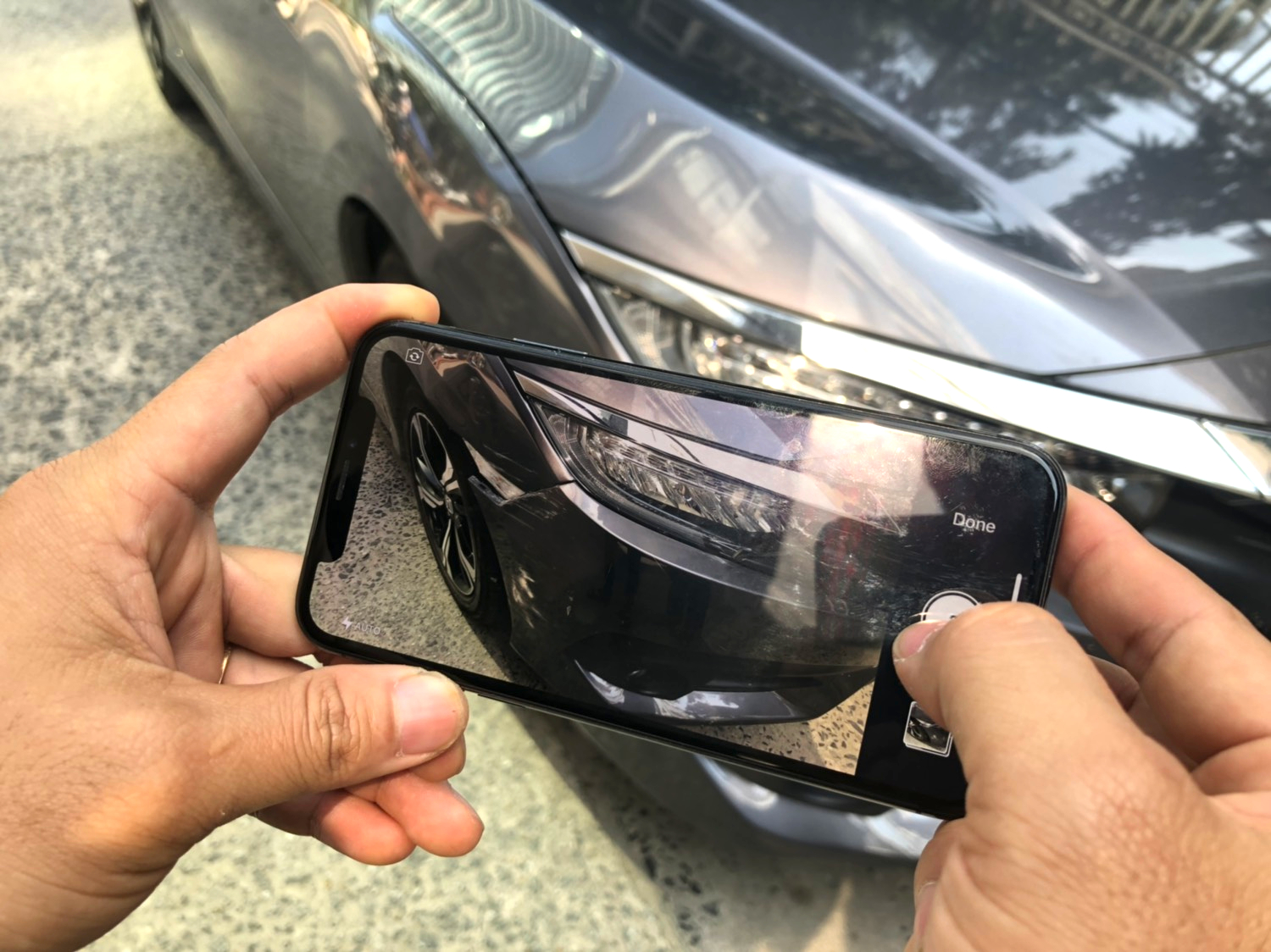
With the ever increasing demand by insurers for assessments by digital imaging, here are a few tips from an experienced assessor on this subject.

The No 1 Cardinal Rule is “If you could not quote from the photos how do you expect the assessor to assess the damage from these photos.”

Good quotes and good photos get proper and fair assessments.
It saves your valuable time just to take a little more time initially taking proper and sufficient numbers of photographs than having to be requested by the assessor to send more because they can not clearly see all the damage you have quoted. Digital photography is quick and easy, just click & save.

Camera Settings:

Some very high quality digital cameras are on the market today some boasting 8 megapixels or more.For digital images for transmission over the internet, high resolution settings are DEFINITELY NOT THE WAY TO GO.
High resolution is fine if you want to print high quality photos; however these take a large slice of computer memory and take a long time to send.  In some cases services will not accept large files and your emails will be rejected. There is little or no difference in the detail of the image seen on the computer screen between high and low resolution. For the purposes of images with quotes, settings of less than 1 megapixel are quite adequate.  (the setting we use is 640×480)  These will transmit quickly and take up much less memory on your computers hard drive.
The resolution setting on all digital cameras are easily adjustable.

Photos of the Damage

Approach the photography in the same way you look at the vehicle and the damage when you write you quote.

Your photos should include:-

1. An overview of the whole vehicle. (the rego no if registered).
2. The vehicle badges to identify the model.
3. Compliance Plate, Paint Code (very important).
4. Engine & Transmission type.
5. Registration Label and Odometer Reading.

You are now ready for the damage in detail.

1. Overview of the damaged area.  Stand back just a little as you would when you first look at the damage.
2. Then take a closer photo which shows the damage in more detail. (Remember to let the camera focus before you click the shutter).  In some cases you may need to adjust the camera settings to MACRO for really close shots.
3. Take photos from different angles just as though you would move your angle of sight looking at the damage.
4. Where possible remove parts such as bar covers so the damage behind can be exposed.
5. Avoid using the flash as much as possible especially for close ups. (the image whites out with the flash)

It is suggested you photograph all the vehicles you quote, firstly for your own records, (helps if the owner tries to tell you “this damage was not there when we left the vehicle with you”) and secondly it will save more time if you don’t have to request the owner or third party to call back for photos.

And Remember:

The No 1 Cardinal Rule is “If you could not quote from the photos how do you expect the assessor to assess the damage from these photos.”

Follow these easy steps and you will save much of your valuable time and get the work authority much sooner

Crashzone - quote comment

Friday, November 21st, 2008

With Crashzone you can set the default text that appears on the bottom of the printed quote, parts list and invoice.  

 Crashzone quote view

Click on the settings link at the top of any page in Crashzone to access the settings.

 Crashzone settings page

Type in the text as you would like it to appear on the printed quote. When finished click submit to save and close the settings page.

Crashzone settings comments
 The quote will now appear with the comments that you have entered.

The National Collision Repairer - David Newton Ross at NACE

Thursday, November 20th, 2008

The National Collision Repairer - David Newton Ross at NACE
David Newton Ross from the National Collision Repairer magazine speaking about the
Australian and New Zealand Auto industry at the Collision Industry Conference while at NACE.

Chip Foose
Chip Foose from Foose Desgin

Keep an eye out for the December, January and February issues of the National Collision Repairer magazine for all the  highlights of NACE, SEMA and related events. Thanks to David and the National Collision Repairer for supplying the photo’s.

Just Smash & Rust Repairs - Lismore repairer

Wednesday, November 19th, 2008

Just Smash & Rust Repairs

Just Smash & Rust Repairs

Gary Callaghan
Unit 2/13 Three Chain Rd South Lismore NSW 2480
Ph: 02 66220030
Email: justsmash@bigpond.com

 Just Smash & Rust Repairs

Crashzone - Melbourne

Tuesday, November 18th, 2008

Melbourne
Crashzone will be visiting repairers in the Melbourne area this week ( Tuesday the 18th of November ) if you would like a demonstration or some one on one training please contact Winston Okeefe on 1300 721 090 or email support@crashzone.com.au

Crashzone help page

Monday, November 17th, 2008

Crashzone help page
Have you visited the Crashzone help page ?  With a user manual, quick reference guide and training videos it is a useful tool for new both new and old customers alike. To access the help page click on the help link at the top of any page in the Crashzone system.

Crashzone help page link

Classic Adelaide tarmac rally 2008

Friday, November 14th, 2008

AMG Mercedes at the Classic Adelaide tarmac rally

A handful of high-class AMG’s are set to get down and dirty on some of Australia’s most technically demanding roads next week as the four-day Classic Adelaide tarmac rally commences for 2008. http://www.caradvice.com.au/